PDF Reader - PDF Editor
Simple Design Ltd.Productivity
4.65.76K Reviews
- Version
- 1.6.6
- Installs
- 50.00M
- Age Rating
- Everyone
Screenshots
Our Review of PDF Reader - PDF Editor
 Analysis by Appyee
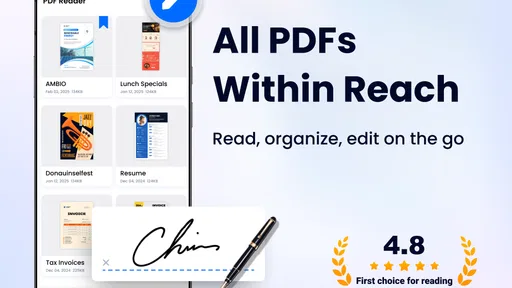
When I need to open a PDF quickly on an Android phone, I usually want a simple path from the file to the page, without turning the task into a full office project. PDF Reader - PDF Editor, developed by Simple Design Ltd., is aimed at that everyday need. It is a free productivity app for reading and managing PDF documents, with a current version of 1.6.6 and support for Android 6.0 or later.
My overall impression is that it makes the most sense as a practical document viewer for people who regularly receive PDFs through messaging apps, email, downloads, or shared folders. It is not the kind of app I would choose automatically for advanced document production, but it can be a useful replacement for relying on a browser or an office suite every time I only want to read a file.
Opening a document without unnecessary delay
The first thing I look for in a PDF app is how quickly it gets out of the way. A reader should help me locate a document, open it, and start reading rather than make me navigate through a crowded workspace. The appeal here is the focused purpose: the app is built around PDF reading and document management instead of trying to be a complete spreadsheet, presentation, and word-processing package.
That narrower purpose is important for perceived speed. When I am checking a receipt, reading instructions, reviewing a form, or opening a downloaded manual, I do not need a large collection of unrelated tools on screen. A dedicated reader generally feels more direct than launching a broad office application, especially when the task ends after a few pages.
There is also a useful distinction between opening a file quickly and handling a large document comfortably. A lightweight reading task can feel immediate, while a long, image-heavy PDF may naturally take more time to display. I would not judge the app only by the first page; the more revealing test is whether navigation remains comfortable while moving through the document and whether the interface stays understandable when the file becomes more demanding.
For a person who mainly reads short documents, the experience should be straightforward. I would use it as a default destination for PDFs rather than repeatedly choosing a browser. That small change matters in daily use because it keeps documents in a reading-oriented environment and makes the phone feel less dependent on whichever app happened to receive the file.
What happens during heavier document use
PDFs vary enormously. A text-based letter is a very different workload from a scanned contract, a catalog filled with pictures, or a long study document. The app’s usefulness therefore depends not just on whether it opens PDFs, but on how well it remains usable when I spend more time inside one file.
During a longer reading session, I pay attention to three practical details: whether page movement feels predictable, whether I can return to a useful position after switching away, and whether the controls remain easy to find without covering too much of the page. These are the moments when a basic viewer proves whether it is genuinely convenient or merely adequate for occasional opening.
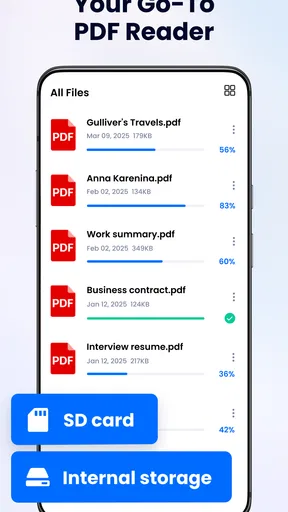
One of my preferred workflows is to download a document, open it in the reader, skim through the pages, and then return later when I have more time. A dedicated PDF app is valuable in that situation because it gives the file a clear home instead of leaving it buried among browser tabs or chat attachments. For work or study, I would also keep documents organized before opening them, since a reader can make viewing easier but cannot compensate for a chaotic download folder.
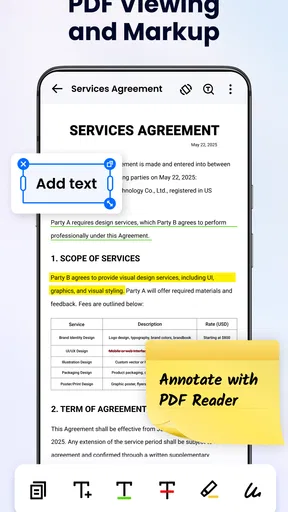
A less obvious trade-off is that a focused reader is not automatically the best tool for editing. The name includes PDF Editor, so I would approach the editing side with realistic expectations and check whether the specific change I need is supported before depending on it for an important deadline. Adding a simple note or making a basic adjustment is a different requirement from rearranging pages, changing existing text, completing complex forms, or preparing a polished business document.
This is where heavier use can expose the difference between a convenient mobile reader and a full desktop PDF workflow. On a phone, I am happy to review pages and handle modest document tasks. If I need precise layout control or repeated professional editing, I would rather use a dedicated desktop solution and treat this app as the mobile companion for checking and managing the result.
Stability and recovering from interruptions
Reliability is not only about avoiding crashes. For a document reader, it also means recovering sensibly when a call arrives, the screen locks, another app opens, or I accidentally leave the document. A stable reading routine should not make me feel that every interruption will force me to start from the beginning.
My practical advice is to test the files that matter most before relying on the app for an urgent task. Open the document, move through several sections, leave it briefly, and return to it. That simple check tells me more than a store description because it reflects my own phone, storage situation, and the type of PDFs I actually use.
It is also worth keeping the original file available. A PDF reader can be the place where I view a document, but it should not be the only copy of something important. If a file arrives through a temporary message or a cloud share, I prefer saving a clear local copy before doing serious reading. That workflow reduces confusion if the source later becomes difficult to find.
The app has attracted a broad audience, with an average rating of 4.6 from around 755 thousand ratings and more than 50 million installs. Those figures suggest that it has become a familiar choice for many Android users, but they do not replace personal testing. Different PDFs and different phones can produce very different impressions, particularly when storage is tight or the document contains many scanned pages.
Another reliability consideration is recovery after an incomplete task. If I am halfway through a long document, I make a habit of noting the page or section when the information is important. That is not a criticism unique to this app; it is a sensible safeguard for mobile reading in general. Phones are interruption-heavy devices, and a small manual habit can prevent lost time.
How Android version and hardware affect the experience
Support for Android 6.0 or later gives the app a broad compatibility range. That is helpful if I am using an older Android phone rather than a recent flagship. Still, compatibility does not mean every device will feel identical. Available memory, free storage, screen size, and the complexity of the PDF all influence how comfortable reading becomes.
On a smaller screen, I would use the app mainly for checking information, reading short sections, or confirming details. Long pages and dense layouts can be tiring when I constantly zoom and reposition the view. A larger phone or tablet is a better fit for manuals, textbooks, and forms because it reduces the amount of repeated movement required to understand a page.
Older hardware can also change the balance between convenience and patience. A simple text document should be a reasonable match for a modest device, while image-rich files place more pressure on loading and page rendering. I would avoid judging performance from one easy PDF and instead try the types of documents I expect to open most often.
Storage habits matter too. If the phone is crowded with downloads, photos, and message attachments, document management becomes harder regardless of the reader. I find it useful to remove duplicate PDFs and keep meaningful files in clearly named folders. That makes the app’s management role more valuable because I am starting with an organized collection rather than asking the reader to solve every storage problem.
The age rating is Everyone, which fits the app’s general purpose as a document tool. Families, students, and older users can approach it without the tone or complexity associated with specialized professional software. The more important question is not age but task: a casual reader may find it sufficient, while a document specialist may quickly need capabilities beyond a mobile viewer.
Everyday situations where it earns a place
A realistic example is receiving a travel confirmation or an instruction sheet in a chat. Instead of searching for a compatible app each time, I can open the PDF in a dedicated reader, scan the relevant page, and return to the conversation. The benefit is modest but real: the document has a predictable destination, and I do not need to keep a full office suite installed merely for occasional viewing.
Students can use the same approach for lecture notes, reading packets, or application forms. I would recommend keeping a clean naming system for those files, such as including the subject and topic in the filename. That makes document management faster than relying on a long list of vague downloads. The app helps with access, but the user’s filing habits determine how useful the collection becomes.
For workers, it can be convenient when a PDF arrives outside the office. I might use it to review a policy, inspect a quotation, or check a page before responding. The phone is especially suitable for quick verification. If the task involves comparing many documents side by side, making detailed revisions, or preserving exact formatting, I would move to a larger screen and a more specialized tool.
It can also suit people who have accumulated PDFs but do not want a complicated document-management system. A focused app is easier to understand than a broad productivity platform when the main goal is simply reading and keeping track of files. That simplicity is one of its strongest arguments.
Where it falls short compared with alternatives
The usual alternatives are a web browser, a general office suite, or a more advanced PDF application. A browser wins when I only need to open a one-off file from a webpage and do not want another dedicated tool. An office suite is stronger when the PDF is part of a wider workflow involving text documents, spreadsheets, or presentations. A specialist PDF editor is the better choice when precise annotations, form work, page rearrangement, or professional review are central to the job.
This app sits between those options. It is more focused than a browser and less expansive than a full office package. That middle position works well for everyday reading, but it also creates a clear limit: users expecting a complete desktop-style editing environment may find the mobile approach too narrow or too dependent on the exact document task.
The free price makes it easy to try, although in-app purchases range from $9.99 to $49.99 per item. I would check the purchase screen carefully before committing to a paid function and decide whether I need occasional reading or a more advanced workflow. For basic access, the free entry point is attractive; for frequent editing, the overall value depends on which tools are included in the option I choose and how often I will use them.
I would also skip it as my main solution if my work depends on strict document collaboration, complex revisions, or a large-screen editing routine. In those cases, a desktop PDF application or an office platform is likely to be more efficient. The phone version is most convincing when convenience matters more than exhaustive control.
My performance verdict for daily Android use
After looking at the way it fits into real mobile routines, I see PDF Reader - PDF Editor as a sensible choice for people who want a dedicated place to open, read, and manage PDF files. Its focused productivity role can feel quicker and less distracting than using a broad office app for a small task. The wide Android compatibility also makes it relevant to users who are not carrying the newest device.
The best reason to install it is dependable simplicity for ordinary PDF reading, not the promise of replacing every professional document tool. I would use it for downloaded instructions, school material, forms, receipts, and work documents that need checking while I am away from a computer.
Its limitations become more important with demanding files, long editing sessions, crowded storage, or work that requires exact desktop-level control. I would test my largest and most important documents early, keep originals backed up, and treat the editing functions according to the task rather than assuming the app can handle every kind of PDF production.
With a free price, an Everyone rating, support beginning at Android 6.0, and a large installed audience, it is easy to see why this app appeals to everyday users. Simple Design Ltd. has positioned it in a useful space between a browser and a full office suite. If your main question is “Can I open and manage PDFs comfortably on my phone?”, this is a reasonable app to try. If your question is “Can my phone become a complete professional PDF workstation?”, I would choose a more specialized alternative instead.
In short, I recommend it to readers who value a direct mobile document routine and do not need advanced control every day. Used with sensible file organization and realistic expectations about heavier documents, it can make ordinary PDF tasks less frustrating without demanding a complicated setup.
Verdict
Strengths of PDF Reader - PDF Editor
- Opens large PDF files smoothly on most modern devices.
- Supports multiple viewing modes for comfortable reading.
- Lets you search for words and phrases inside documents.
- Keeps recently opened files easy to access.
- Works well for reading documents offline.
Limitations of PDF Reader - PDF Editor
- Some advanced editing tools may require a paid upgrade.
- Large files can take time to load on older phones.
- The interface may feel crowded for first-time users.
- Limited cloud integration compared with dedicated storage apps.
- Ads may interrupt the experience in the free version.
Other Releases by Simple Design Ltd.
View All
Video Downloader - Downloader
Video Players & Editors4.7

Fonts Keyboard Themes & Emoji
Personalization4.7

Image to PDF - PDF Maker
Productivity4.9

Document Reader - PDF Editor
Productivity4.7
Similar Picks in This Category
View All
Google Calendar
Google LLC4.6

Google Drive
Google LLC4.3

Google Assistant
Google LLC3.9

Microsoft OneDrive
Microsoft Corporation4.6

Samsung Calendar
Samsung Electronics Co., Ltd.4.1

Microsoft OneNote: Save Notes
Microsoft Corporation4.6
Frequently Asked Questions
What is PDF Reader - PDF Editor used for?
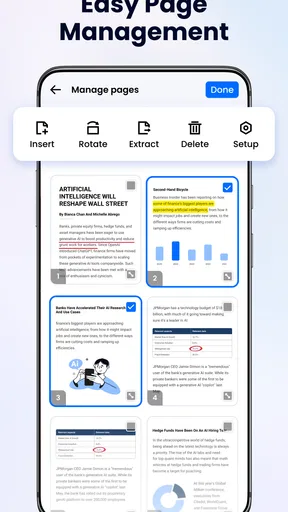
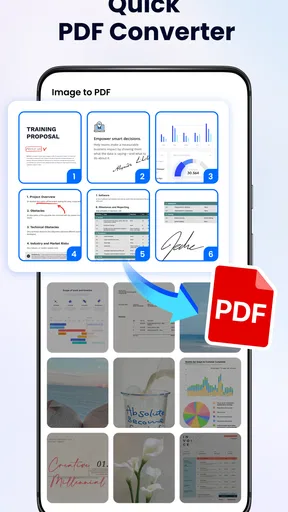
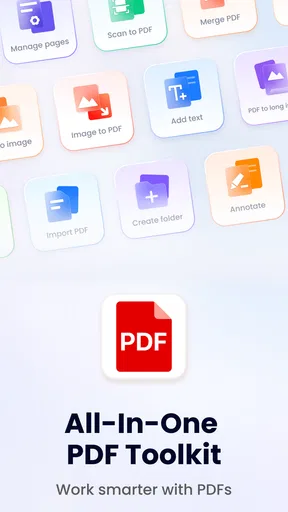
PDF Reader - PDF Editor is designed for opening, reading, organizing, and managing PDF documents on a mobile device. Depending on the version and available tools, it may also let you annotate files, add highlights, complete forms, sign documents, merge or split pages, and make basic edits. It is useful for students, office workers, and anyone who regularly handles digital documents.
Can PDF Reader - PDF Editor edit the text and images inside a PDF?
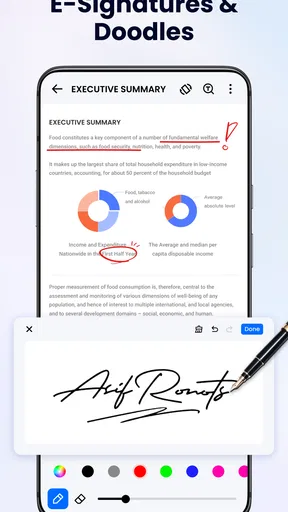
The app can usually provide more than simple PDF viewing, but its editing capabilities may depend on the installed version, document type, and whether a premium plan is required. Basic tools may include adding text, drawing, highlighting, inserting signatures, or placing images. Editing existing text or rearranging document content may be limited, so users should check the available tools before relying on it for advanced desktop-style editing.
Does PDF Reader - PDF Editor work offline?
PDF Reader - PDF Editor can generally be used offline for opening and reading files that are already stored on your phone or tablet. Basic annotations and document navigation may also work without an internet connection. However, features such as cloud synchronization, online conversion, file sharing, account services, or downloading documents from external sources may require internet access. Offline availability can vary by feature and platform.
Is PDF Reader - PDF Editor free to download and use?
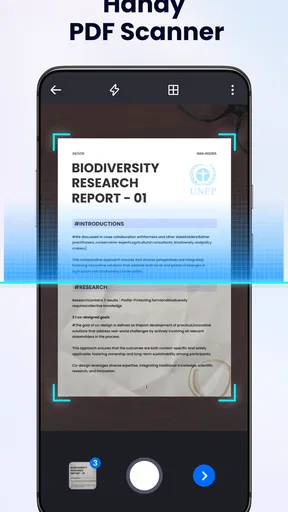
The application may be available as a free download, but some advanced functions can be restricted behind in-app purchases, subscriptions, advertisements, or premium upgrades. Free access commonly covers reading and basic document management, while tools such as advanced editing, conversion, OCR, cloud storage, or removing advertisements may require payment. Review the pricing details shown in the relevant app store before subscribing.
Is PDF Reader - PDF Editor safe for private or sensitive documents?
The app may be suitable for everyday PDF files, but users should be careful when handling passports, contracts, financial records, medical documents, or other sensitive information. Check the permissions requested, privacy policy, cloud-sharing behavior, and whether files are uploaded for processing. Avoid opening suspicious attachments, keep the app updated, and use device security features such as a screen lock when storing confidential PDFs.
